


Marketing automation sounds clean on a vendor demo. Trigger this, send that, watch the dashboard. Then a real small business tries to implement it across email, CRM, SEO, social, and analytics tools, and the work explodes into a forty-tab nightmare that nobody has time to actually run.
The shape of the problem is mostly creative and contextual, not transactional. Rules-based automation handles “send the welcome email when the form is submitted.” It doesn’t handle “research keyword opportunities, draft a brief, write a blog post in our voice, prepare it for WordPress, and tee it up for review.” That gap is where most small business marketing dies.
Hermes Agent, the open-source AI agent framework from Nous Research, is built for that gap. It can hold context across sessions, pull research from the web, draft long-form content in your brand voice, schedule recurring jobs, and connect to messaging apps your team already uses. For a small business that wants more consistent marketing output without hiring a four-person team, this is the layer that turns scattered AI usage into a real operating rhythm.
This is a working list of the marketing workflows lean operators are actually running with Hermes today, with the prompts to run them and the metrics they should move. If you haven’t set up Hermes yet, the setup guide is here.
What makes Hermes Agent useful for marketing specifically
Most rules-based marketing automation (HubSpot, Mailchimp, classic CRM workflows) is good at deterministic actions. If X, then Y. Hermes sits one layer above that, in the part of marketing that needs taste and context. Researching, drafting, organizing, summarizing, repurposing.
The marketing-relevant parts of the framework today:
- Web research and content extraction without leaving the agent
- File reading and writing for everything from CSVs to draft documents
- Persistent memory so the agent retains your brand voice between sessions
- A skills library (around 118 bundled procedures, plus your own) for repeatable workflows
- Cron scheduling so a workflow runs every Monday whether you remember or not
- Messaging gateway integrations that let you trigger jobs from Telegram, Slack, or Discord
For the operating-model context this all sits inside, the four-marketing-roles-collapsed piece covers what becomes possible when one operator orchestrates AI across copy, SEO, social, and design. Hermes is one credible way to actually run that operating model.
Workflow 1: SEO keyword research and content planning
SEO rewards consistency. It’s also the marketing workflow that suffers most when “I’ll do it later” stretches into a quarter. Hermes is well-suited here because the work breaks cleanly into research, clustering, briefing, and drafting, each step the agent can run on its own.
A single prompt that produces a real plan:
Act as an SEO strategist for a local HVAC company in Charlotte. Build a 90-day content plan targeting emergency repair, AC installation, furnace maintenance, indoor air quality, and pricing questions. Group topics by search intent. For each post include the suggested title, meta description, target keyword, and a one-line content angle. Add two FAQ questions per topic. Flag any topic where local intent matters.
If you want this to compound, save the prompt as a Hermes skill, attach your business profile and brand voice to project memory, and schedule it to re-run every quarter. Each run gets sharper because the agent is referencing your last 90 days of published work.
External references worth keeping handy:
- Google Search Central SEO starter guide
- Google’s helpful content guidance
- Google Trends for seasonal intent shifts
- Ahrefs keyword research guide
- Semrush keyword research guide
Workflow 2: Blog post drafting, ready for WordPress
Most small businesses know they should publish more. The bottleneck isn’t ideas. It’s getting from idea to finished draft without losing a Tuesday.
The repeatable shape:
- Pick a keyword or a customer question.
- Run your brief-generator skill against it.
- Hand the brief to your draft-generator skill.
- Add FAQs based on what real customers ask.
- Add external links to credible sources.
- Add internal link placeholders for an editor to wire up.
- Have a human edit voice and trim filler before publishing.
- Publish in WordPress.
- Run your repurposing skill to turn the post into social and email content.
The single prompt:
Write a WordPress-ready blog post for a local accounting firm targeting the keyword "small business tax planning checklist." Include SEO title, meta description, slug, H2/H3 structure, FAQ section, three external links to credible sources, image suggestions, and internal link placeholders. Write for small business owners, not for accountants. Keep the voice practical and free of generic AI phrasing.
If you’re running a content engine and want the recurring-prompt library that pairs well with this, the seven AI marketing prompts I actually use every week is a good companion piece.
Useful publishing references:
- WordPress REST API handbook for anyone building a publish pipeline
- Yoast SEO blog for on-page SEO patterns
- Google Search Central for the canonical guidance
Workflow 3: Lead follow-up drafting
Small businesses lose more leads to slow follow-up than to bad pricing. Hermes can take a batch of inbound submissions and draft individualized responses faster than any human team can.
The prompt:
Here are 20 new lead form submissions [paste]. Classify each lead by service interest, urgency level, and the most likely next step. Draft a short follow-up email for each group of similar leads. Do not promise pricing, availability, or specific timelines unless they are explicitly stated in the data. Flag any submission that needs a human owner to respond directly.
Pair this with whatever CRM or email tool you’re already using:
The non-negotiable: Hermes drafts. A human reviews and sends. If you skip the review step in the first month, you’ll regret it the first time a draft commits to a price you don’t actually offer.
Workflow 4: Social repurposing from existing content
Most small business social accounts die because the team can’t generate fresh content from scratch every day. The trick isn’t more content. It’s better repurposing of what already exists.
The prompt:
Turn this blog post [paste URL or content] into 10 LinkedIn posts, 10 Facebook posts, 5 short Instagram captions, and 3 email subject lines. Each post should pull a different specific claim from the article, not summarize the whole thing. Keep the tone practical and local. Avoid hype. Include a call to action on every third post.
Run this every time you publish a long-form piece. One blog post becomes a month of social content. For a deeper look at why distribution multiplication beats production volume, the duolingo teardown covers the operating principle.
Platform references:
Workflow 5: Review response drafting
Reviews influence local SEO, conversion, and trust. They also pile up faster than any small business owner can keep up with.
Draft responses to these Google reviews [paste]. Keep each response under 80 words. For positive reviews, thank the customer specifically for what they mentioned. For negative reviews, stay calm, do not admit fault, invite the customer to contact us directly, and flag any review that needs manager approval before posting.
This works as a batch workflow. Pull last month’s reviews, run the prompt, review the drafts, post or revise. Schedule it monthly via Hermes cron.
External reference: Google Business Profile help.
A subtle bonus: positive reviews from this workflow often surface specific phrases that work as social proof on landing pages or in email campaigns. Save them.
Workflow 6: Email newsletter from recent activity
A monthly newsletter is one of the highest-leverage retention activities a small business can run. Most don’t because nobody wants to write the thing every month.
Create a monthly email newsletter for a local landscaping company. Include a short intro, a seasonal lawn care tip pulled from current month best practices, a link to our latest blog post, a reminder to schedule spring cleanup, and a friendly call to action. Write three subject lines and three preview text options. Voice: warm, practical, not pushy.
Run it on the first of every month. Have someone edit. Send.
Email marketing references:
Workflow 7: Competitor research
Knowing what your competitors are saying matters. Reading every competitor website every week doesn’t.
Review these competitor websites [paste URLs]. Create a comparison table covering services, headlines, calls to action, lead magnets, trust signals, review strategy, pricing language, and content topics. Then recommend five concrete improvements for our own website based on what they're doing better.
External tools that pair well with this:
- Similarweb for traffic estimates
- BuiltWith for tech stack analysis
- Google Alerts for ongoing competitor mentions
Schedule this monthly. The pattern recognition compounds over time.
Workflow 8: Campaign planning
A promotion isn’t a campaign until it has a landing page, ads, emails, and a reporting plan. Hermes can turn a promotional idea into a full campaign brief in one shot.
Build a 30-day campaign for a local med spa promoting laser hair removal consultations. Include landing page copy, three sequential emails, seven social posts, Google Ads headline ideas (15 variations), an FAQ section, and a reporting checklist. Each piece should reinforce the same core positioning without repeating the same lines.
The output is a campaign brief, not the actual deliverables. Edit, hand to whoever owns each piece, ship.
Workflow 9: Weekly marketing reports
Reports get skipped because nobody wants to write them. Hermes can take a CSV export and produce a weekly narrative summary in under five minutes.
Analyze this weekly marketing data export [paste CSV]. Summarize what changed, what likely caused each significant change, which channels are trending up, which need attention, and what specific actions to take next week. Keep the summary under 400 words. Lead with the most important number, not the longest list.
Useful analytics references to pull data from:
Schedule this every Monday at 8am via Hermes cron. By month two, you’ll wonder how you ever did Mondays without it.
Workflow 10: Scheduled marketing operations
The compounding power of Hermes is in scheduling. Anything you do weekly should be a cron job.
The starter set:
- Monday content opportunity scan
- Weekly competitor scan
- Friday social content draft from the week’s blog post
- Monthly customer question summary turned into FAQ updates
- Weekly Google Search Console summary
- Monthly review response batch
Hermes cron documentation: hermes-agent.nousresearch.com/docs/user-guide/features/cron.
A simple weekly workflow if you’re starting from scratch
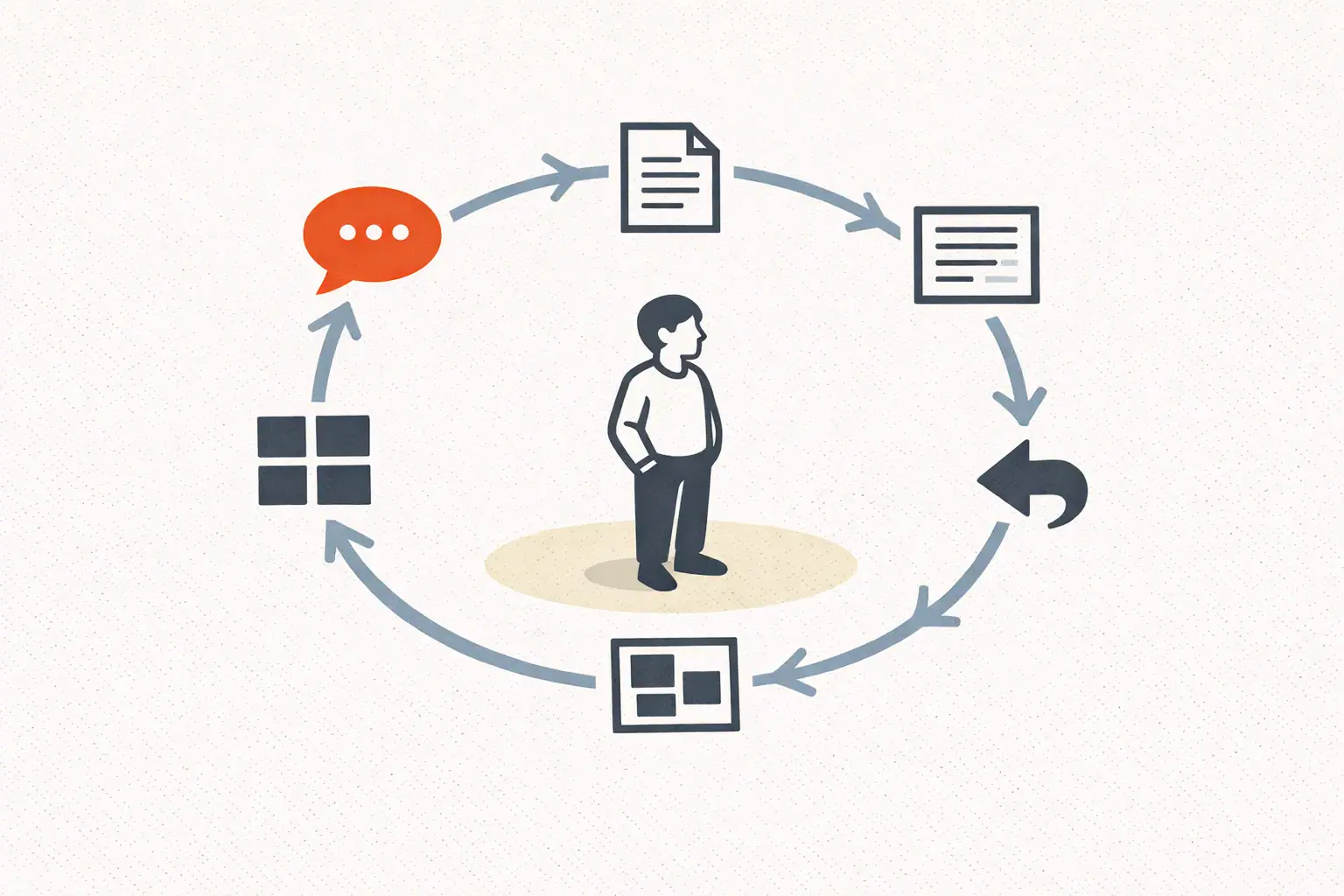
Pick this if you’ve installed Hermes and you don’t know which prompt to run first.
- Collect customer questions from your inbox, voicemails, and contact forms.
- Ask Hermes to group them by topic and frequency.
- Pick the top three repeated questions and turn each one into a blog post brief.
- Draft one of the three.
- Repurpose the draft into five social posts and one email.
- Review everything by hand before publishing.
- Run the same workflow next week.
That single loop connects customer service, SEO, content, social, and email marketing into one motion. Most small businesses are running each of those as a separate disconnected effort. Doing it as one motion is the leverage.
Best practices that aren’t optional
A short list of things every small business operator I’ve watched succeed with Hermes does:
- Use clear prompts that include business type, audience, geography, tone, and goal. Generic prompts produce generic output. Specific prompts produce useful output.
- Keep humans in the approval loop for anything customer-facing. Always.
- Ask Hermes to include external sources so claims are checkable.
- Use internal link placeholders for whoever does the WordPress publishing.
- Save repeating prompts as Hermes skills. The compounding starts there.
- Start with research and drafts. Don’t grant publishing permissions in week one.
- Review facts, pricing, legal claims, and any industry-specific language before anything ships.
Where this still breaks
Hermes is good. It’s not magic. Three things small businesses still get wrong:
They expect Hermes to know their brand voice without being told. It can’t. Spend an afternoon writing a brand voice constraints document and uploading it to Hermes’ memory. Output quality jumps overnight.
They run too many workflows in week one. Pick one. Get it working. Add the second next week. Compounding takes time and depends on each workflow being tuned, not on having ten of them running poorly.
They skip human review. The model is fluent. That fluency creates false confidence. The output is at 70%, your job is the last 30%. If you ship the 70% version, you’ll spend more time fixing public mistakes than you saved on drafting.
What to actually do this week
Install Hermes if you haven’t. Pick one of the ten workflows above. Run it. Read the output. Tune the prompt. Save the tuned version as a skill. Schedule it to run weekly. Repeat next week with a different workflow.
By month two, you have a marketing operations layer that runs while you’re on a sales call. That’s the part nobody tells you about lean operations: it isn’t about doing more, it’s about not doing the same thing twice.
For the broader playbook on what AI-augmented marketing actually looks like in practice, the marketing-with-AI two-person stack is the connective tissue. Hermes is the engine that makes that stack runnable by a one-person team without writing custom code.
FAQ
Do I need to be technical to run Hermes for marketing? You need to be comfortable with a terminal, running install commands, editing config files, reading errors. You don’t need to write code. If you can follow a setup guide step by step, you can run Hermes for marketing workflows.
Can Hermes replace my marketing automation tool (HubSpot, Mailchimp)? Not really, no. HubSpot and Mailchimp handle the deterministic, transactional layer (form submitted → email sent → tag added). Hermes handles the creative and contextual layer (research, drafting, repurposing). They’re complementary tools, not competing ones.
What does this actually cost monthly? A starter VPS is $5-10/month. Model API usage for a marketing-focused workflow typically runs $10-30/month on something like OpenRouter. So the total infrastructure cost lands somewhere between $15-40/month. Compared to hiring out the same work, the math is comical.
How long until I see results? You’ll feel the time savings the first time you run a workflow. The compounding kicks in around month two when your prompt library starts feeding back into itself. Real revenue-side results, better SEO rankings, higher conversion, lower support load, typically take three to six months to show up clearly in metrics.
Where do I find help when I get stuck? Start at the Hermes Agent documentation. The Nous Research team has an active Discord. The GitHub issues page is the right place for bugs.


