

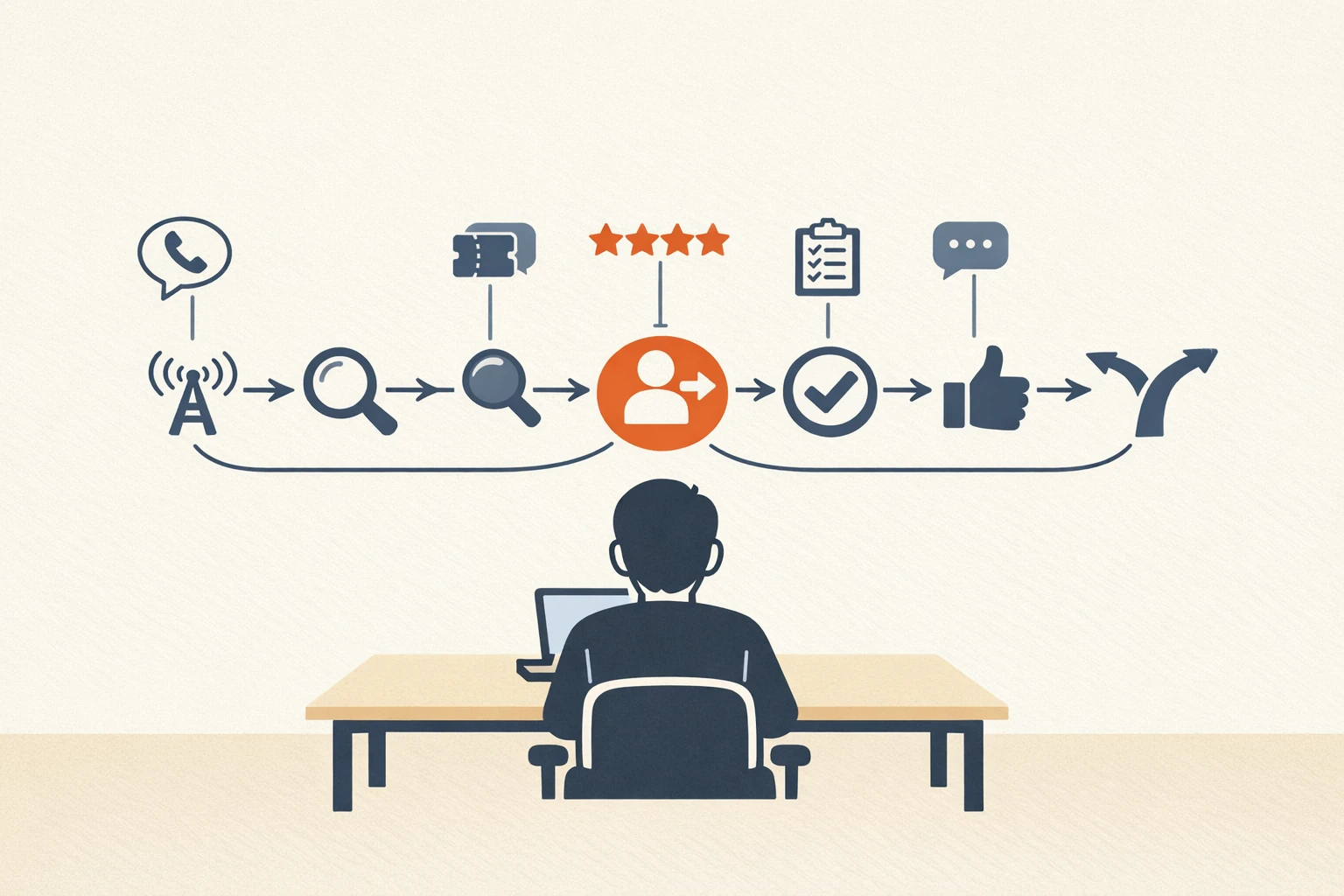
Most AI customer journey content reads like a deck slide that learned to type.
The pattern: an article promises that AI will “transform” the customer journey, then lists six abstract stages that could apply to any business, then ends with a CTA for whatever vendor commissioned the piece. No specifics. No actual workflow. No operator on the other end of the page.
The truthful version is narrower and more useful. AI doesn’t reinvent the customer journey. It makes specific parts of journey work cheaper to do well: collecting evidence at each stage, synthesizing it into a usable map, identifying the friction points worth fixing, and measuring whether the fixes are working.
This post is the working AI customer journey workflow we run with clients. The data sources, the synthesis prompts, where AI actually adds leverage in journey work, and the specific places it doesn’t.
For the related operator workflows in the cluster, our AI persona generator post covers the evidence-grounded persona work that pairs with journey mapping. Our AI competitor analysis post covers how to compare your journey against the category.
What “AI customer journey” actually means
Three things get bundled under this label:
AI-assisted journey mapping. Using AI to synthesize customer evidence into a journey map. This is the operator workflow we’re going to cover.
AI-enhanced customer journeys. Customers using AI tools (chatbots, recommendation engines, AI search) inside the brand’s own journey. Different problem, different vendor stack.
AI-driven journey orchestration. Real-time AI deciding which message, offer, or channel to use at each touchpoint. Closer to traditional marketing automation than to journey mapping.
This post focuses on the first one. The second and third matter for in-product personalization but they’re not journey mapping. They’re execution layers that need a journey map to work from.
Why most customer journey maps are useless
Three failure modes recur:
The map is hypothetical. Built in a brand workshop from someone’s intuition about what customers do, never validated against actual evidence. Looks good on a whiteboard. Drives no decisions.
The map is too smooth. Real journeys have backtracks, side-quests, multi-touch dead ends, and abandoned tabs. Most maps render a clean linear funnel that doesn’t match what people actually do.
The map sits in a Notion doc. Built once, presented once, never referenced when actual product, marketing, or support decisions get made. Decorative artifact, not operating tool.
A working journey map (AI-assisted or not) addresses all three. It’s evidence-grounded, it’s honest about the mess, and it’s structured so specific decisions tie back to specific stages.
What AI is actually good for in journey work
Four places where AI cuts journey-mapping time dramatically:
Synthesizing scattered evidence. Sales calls, support tickets, reviews, analytics events, surveys: the raw material exists, but assembling it into patterns by hand takes weeks. AI compresses that to hours.
Identifying language differences across stages. What words do customers use before they buy? At purchase? After 30 days? At churn? AI surfaces the language drift across the journey that humans miss.
Spotting friction signals. Where do customers complain, hesitate, drop off, or ask for help? AI clusters the complaints by stage faster than manual coding.
Comparing across segments. The journey for a self-serve customer is different from the journey for an enterprise customer. AI can run the synthesis per-segment and surface the deltas.
What AI is bad for in journey work: making strategic calls about which friction to fix, deciding what the brand’s actual journey should look like, judging which insights matter commercially. Those stay human.
For the broader pattern on which AI workflows make sense vs. which are vendor theater, our AI agents for marketing post covers the category overview.
The AI customer journey workflow we run
Six steps. End-to-end takes a working day with the evidence pre-assembled. First run is slower because you’re building the workflow.
Step 1: define the journey segments you care about
Most teams try to build one journey for everyone. The result is a map so generic it doesn’t help any specific decision.
Pick 1-3 segments based on real differentiation:
- Self-serve vs sales-led
- New buyer vs renewal
- Early-adopter vs late-majority
- High-ACV vs low-ACV
- Active user vs churned
If you’ve already done evidence-grounded persona work using our AI persona generator workflow, your segments are already defined. If not, that workflow runs first.
Step 2: collect evidence per stage
For each journey segment, assemble evidence per stage. A typical staged structure:
- Awareness: What got them to first contact? (Cold inbound source, referral, search query, ad click)
- Consideration: What did they evaluate? (Competitors named in calls, content they consumed, pages they hit)
- Decision: What pushed them across the line? (Specific conversation, demo moment, pricing change)
- Onboarding: Where did they get stuck in the first 30 days?
- Active use: What value did they realize? What complaints emerged?
- Renewal or churn: What signal preceded the outcome?
Per stage, pull 30-100 pieces of evidence: call transcripts, ticket text, review quotes, survey responses, sales CRM notes. Tag each piece with which stage it represents.
The data sources that matter: – HubSpot CRM or whichever CRM holds your sales notes – Zendesk or your support tool for ticket text – Intercom or your in-product chat for conversion-moment evidence – Google Analytics for stage transition data – Review platforms (G2, Capterra, App Store) for public testimony
Step 3: run the per-stage synthesis prompt
Per stage, run this in Claude:
You are helping a marketer at [company] map the [stage name] stage of thecustomer journey for [segment]. Below is evidence from [N] customers,tagged by source.For this stage, identify:- The 3 most common entry signals (what brought them to this stage)- The 3 most common questions they have at this stage- The 2 specific friction points where evidence shows they get stuck- The 2 most common exit paths (forward to next stage vs back to previous vs drop off)- The language they use to describe what they're trying to do at this stage (3-5 verbatim phrases)- One unmet need at this stage that no competitor is addressing wellCite the source evidence for each claim. Note where evidence is thin(fewer than 3 supporting pieces).Evidence:[paste tagged evidence]
Run this prompt per stage. You’ll have 5-6 per-stage briefs at the end of step 3.
Step 4: run the cross-stage synthesis
Now compare the briefs to find the journey-level patterns:
Below are per-stage briefs for the [segment] customer journey. Identify:- The stages where friction is highest (rank them)- The language shifts across stages (how customer vocabulary changes from awareness to active use)- The friction patterns that show up at multiple stages (recurring issues vs stage-specific issues)- The journey-level mismatch: where customers expect one thing and the product/marketing delivers another- The single highest-leverage place to invest in fixing frictionBriefs:[paste outputs from step 3]
This is where the actual journey insight comes from. The single-stage briefs are descriptive. The cross-stage synthesis is strategic.
Step 5: write the journey map document
The AI outputs are inputs. The human writes the working journey map.
A useful map document includes:
- Visual journey diagram (Miro, Lucid, Figma, pick what your team uses)
- Per-stage summary: entry signals, top questions, friction, exit paths, customer language, unmet need
- Cross-stage insights: language shifts, recurring friction, mismatches
- The one strategic recommendation per stage that the evidence supports
- The receipts: source evidence per claim, accessible to anyone who wants to verify
Cap the document at 4-6 pages. Bigger and nobody reads it. Smaller and it loses the receipts that make it credible.
Step 6: connect the map to specific decisions
The step most teams skip. A journey map only matters if specific decisions tie back to it.
For each stage, name 1-2 decisions the map should drive over the next quarter:
- Awareness: Which channel to invest in? Which content angle to lead with?
- Consideration: Which competitor objection to address head-on? Which proof point to feature on the landing page?
- Decision: Which sales motion to invest in? Which pricing variable to test?
- Onboarding: Which friction step to redesign?
- Active use: Which usage milestone to drive? Which expansion play to develop?
- Renewal/churn: Which health signal to instrument? Which intervention to test?
The journey map drives 6-12 specific decisions, not “improve the customer experience.” Without that translation, the map is decoration.
For the measurement framework that catches whether the decisions actually moved the journey, our AI marketing ROI post covers the four-layer approach we use.
Tools that fit the workflow
What we actually use:
For evidence collection: The data tools above (CRM, support, analytics, reviews). Nothing AI-specific.
For AI synthesis: Claude for the multi-stage synthesis (handles long context well). ChatGPT is fine too, especially for the per-stage briefs. We compared them in our Claude vs ChatGPT for marketing post.
For visualization: Miro, Lucid, Figma, or a Google Slides journey template. The tool matters less than the disciplined structure.
For the working map document: Notion, Google Docs, or wherever your team already lives. Don’t introduce a new tool for journey mapping; it’ll sit unused.
For the broader operating-model view of how journey mapping fits among the other AI marketing workflows, our complete AI marketing stack post maps the full territory.
What this looks like in practice
Concrete example since most posts on this topic stay abstract.
For a B2B SaaS client we worked with recently, the AI customer journey workflow surfaced this pattern:
- The “awareness” stage had clean evidence (specific search queries, named referrers)
- The “consideration” stage showed a clear competitor-comparison pattern (customers researched 3-4 vendors, ranked them on the same 5 criteria)
- The “decision” stage had a sharp inflection: 80% of closed-won had a specific demo moment in common (a particular feature shown in the third demo), and 70% of closed-lost never reached that moment
- The “onboarding” stage showed friction at the integration step (consistent ticket cluster)
- The “active use” stage revealed an expansion trigger nobody had named (a specific usage pattern that preceded enterprise upgrade)
The map produced six concrete next-quarter bets, ranked by evidence strength. The “demo moment” finding alone changed the sales playbook and moved win rate ~12% within a quarter. Total time to run the workflow: about 1.5 working days once the evidence was assembled.
Where AI for customer journey fails
Four predictable failure modes:
Mistaking visualization for strategy. A pretty journey diagram in Miro isn’t a journey strategy. The strategy is the cross-stage synthesis and the decisions it drives. Teams that over-invest in the visual and under-invest in the synthesis get pretty decoration.
Skipping evidence collection. The temptation is to ask AI to “generate a customer journey” without inputs. The output is fiction. Same failure mode as the AI persona generators we covered in our persona generator post.
Over-segmenting. Building 8 customer journeys for 8 micro-segments produces 8 unused documents. Pick 1-3 segments based on real differentiation, run the workflow well per segment.
Treating the map as static. Customer behavior shifts as the product, market, and competition shift. Re-run the workflow every 6 months minimum, more often during major changes.
For the safety side of letting AI touch customer data at this depth, our open-source AI agent safety post covers permissions and review patterns.
Reference frameworks worth pairing this with
The classic customer journey thinking still applies. Forrester’s customer journey work is the canonical reference for journey stages. Nielsen Norman Group’s journey mapping guide is the methodology piece worth reading before running this workflow for the first time. AI changes the speed of synthesis, not the underlying methodology.
If your team wants help running an AI-assisted customer journey workflow on your stack, our services page explains how we work, and you can get in touch here.
FAQ
Can AI build a customer journey from public data alone? Not usefully. The public-data version produces a generic category-level journey that doesn’t reflect your specific customers. AI’s job in this workflow is synthesizing your own evidence (CRM, support, surveys, calls), not inferring it from the internet. Teams that skip the evidence-collection step get fictional output.
How granular should the journey stages be? 5-7 stages is the sweet spot. Fewer than 5 and you miss meaningful transitions. More than 7 and the map becomes a workflow diagram instead of a journey. The stages we recommend (awareness, consideration, decision, onboarding, active use, renewal/churn) cover most B2B SaaS contexts. Adjust the language and number for your business.
Should I use a customer data platform (CDP) for this work? A CDP helps with the evidence-collection step if you have one running. It centralizes the touchpoint data the AI synthesizes. Without a CDP, you pull from individual tools (CRM, support, analytics) and assemble manually. The workflow above works either way; CDPs just accelerate step 2.
How does this connect to journey orchestration (real-time AI deciding next-best-action)? Adjacent problem. Journey mapping is offline strategy work. Journey orchestration is real-time execution. Tools like Klaviyo’s AI features, Salesforce Marketing Cloud, and Adobe’s journey optimizer handle orchestration. They need a journey map to work from, which is what this post produces.
What’s the single biggest mistake teams make with AI customer journey work? Asking AI to generate the journey instead of synthesize evidence. The output sounds plausible because AI is good at plausible-sounding. The evidence-grounded version takes longer but produces a map that actually predicts customer behavior. The fiction version produces a deck slide.


